 FoxCue
API Authentication: Bearer Keys and Scopes
Authenticate to the FoxCue API with a scoped workspace API key in the Authorization header. Key expiry, revocation and the full list of permission scopes.
Every FoxCue API request (except the discovery endpoints) needs a workspace API key in the Authorization header as a bearer token. Owners create keys in Settings → Developers. Each key has a name, an expiry and a set of scopes.
Create keys in Settings → Developers. See operations for the scope each endpoint needs.
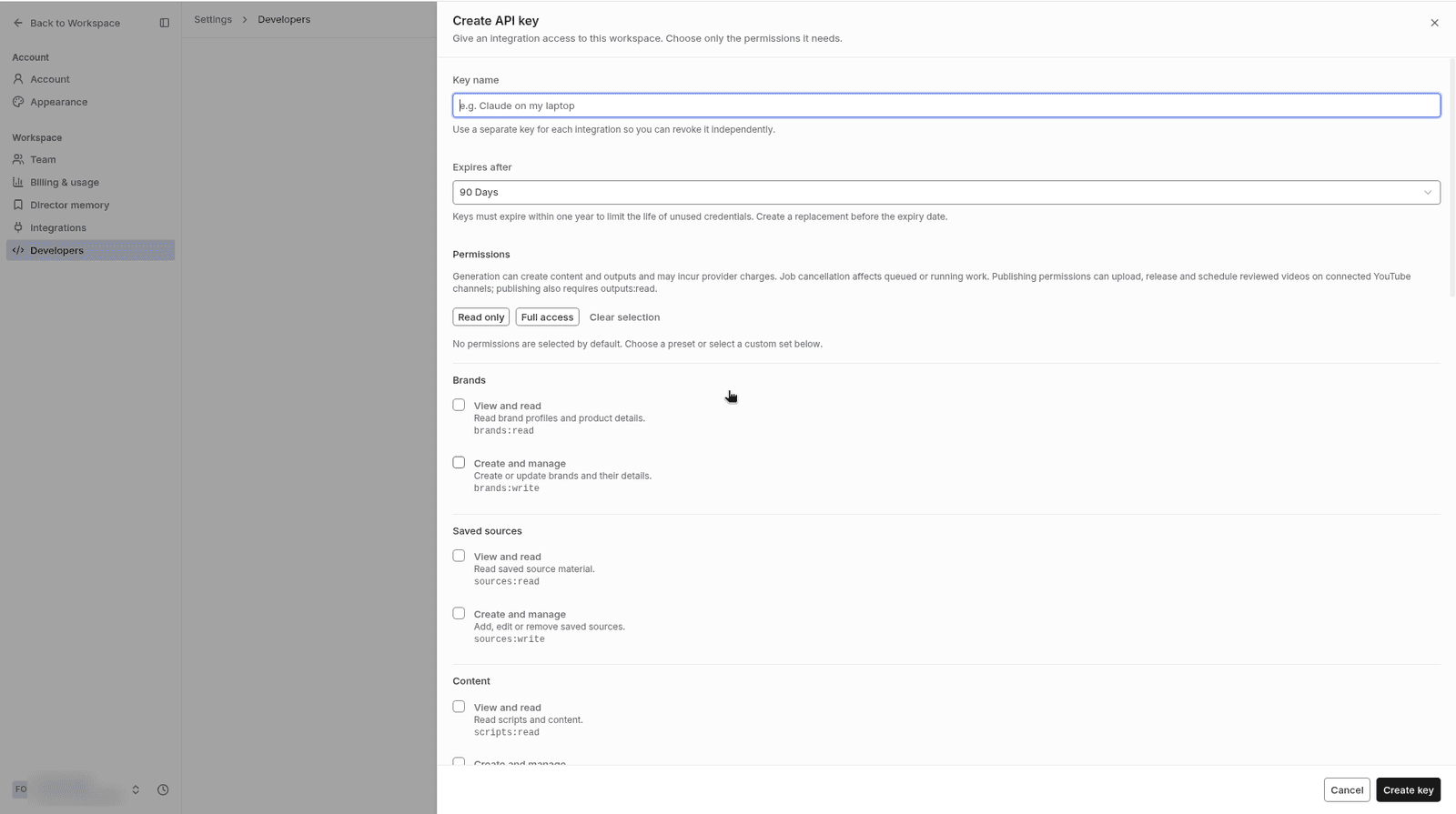
Create API key, with a name, an expiry and permission scopes.
Authorization: Bearer <workspace API key>Send requests to https://app.foxcue.com/api/v1. https://app.foxcue.com is the hosted FoxCue app URL.
Rules
- Keys go in the
Authorizationheader only. Keys in URLs are never accepted. - Browser sign-in cookies can't authenticate the API, and keys can't sign in to the app.
- The full key is shown once. FoxCue stores only a hash.
- Keys expire after 1–365 days (default 90). The app offers 30 Days, 90 Days and 1 Year.
- Owners can revoke any key. Removing an owner, or resetting their sign-in, invalidates their keys.
- Use one key per integration.
See Create an API key for the steps.
Hosted MCP uses OAuth
A hosted MCP connection uses scoped OAuth consent instead of a manually copied workspace API key. Its URL is https://app.foxcue.com/mcp; the REST API base URL above is not the MCP endpoint. Manage OAuth grants under Settings → Developers → MCP → Authorized MCP Connections. Local stdio clients continue to use workspace API keys.
See MCP OAuth permissions for the hosted profile's 13 scopes and revocation behavior. OAuth access tokens are client-managed credentials; do not paste them into chat or treat them as a replacement workspace API key.
Scopes
Scopes are independent: a key gets exactly what you select. For read-only access, select the :read scopes.
| Scope | Allows |
|---|---|
brands:read / brands:write | Brands, brand kits, offerings, CTAs, styles |
sources:read / sources:write | Sources and documents |
knowledge:read / knowledge:write | Source history, passage search, context, people |
strategy:read / strategy:write | Silos, topics, targets, evidence, briefs |
performance:read / performance:write | YouTube connections, publications, reports, sync jobs, observations |
scripts:read / scripts:write | Scripts, versions, collections |
outputs:read | Saved outputs |
generation:write | Start AI generation and renders. Can incur provider charges. |
jobs:read / jobs:write | Poll jobs / cancel jobs |
media:read / media:write | Download / upload files |
library:read / library:write | Listed templates, submissions and reference ideas |
publishing:read | Publishing capabilities, drafts and deliveries |
publishing:write | Edit a publishing draft, metadata and thumbnails |
publishing:publish | Submit, cancel or retry a YouTube delivery |
GET /api/v1/capabilities returns these 23 scopes. Publishing calls succeed only when native publishing is enabled on that server. Existing keys don't gain new scopes automatically when new ones are added.
See Library, Publishing and Performance and observations.
Frequently asked questions
Are API keys the same as my OpenAI or ElevenLabs keys?
No. Workspace API keys only access FoxCue. AI provider keys are configured on the server.